Safelist Tipalti app
Required user role G Suite Admin
To safelist Tipalti:
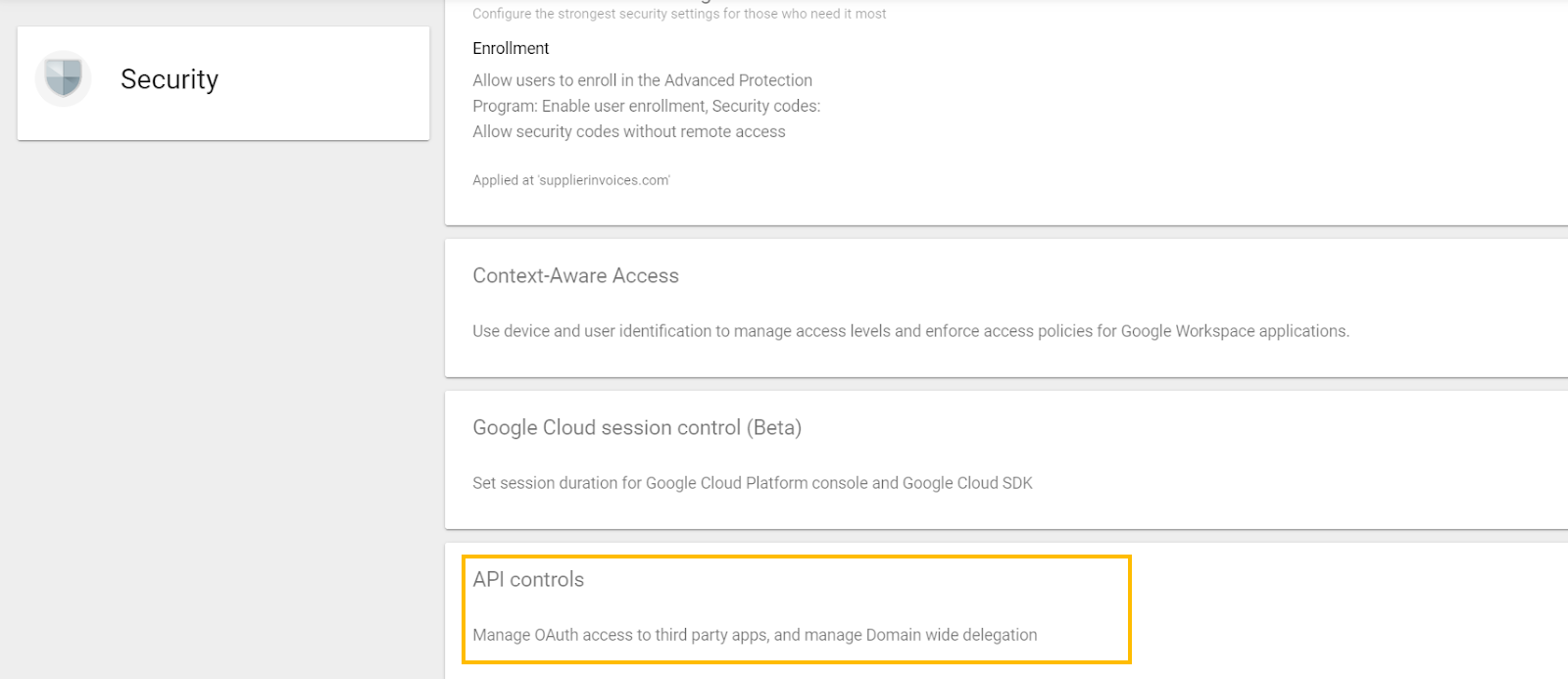
- Go to Manage your Google Account > Security and click the "API controls" box.
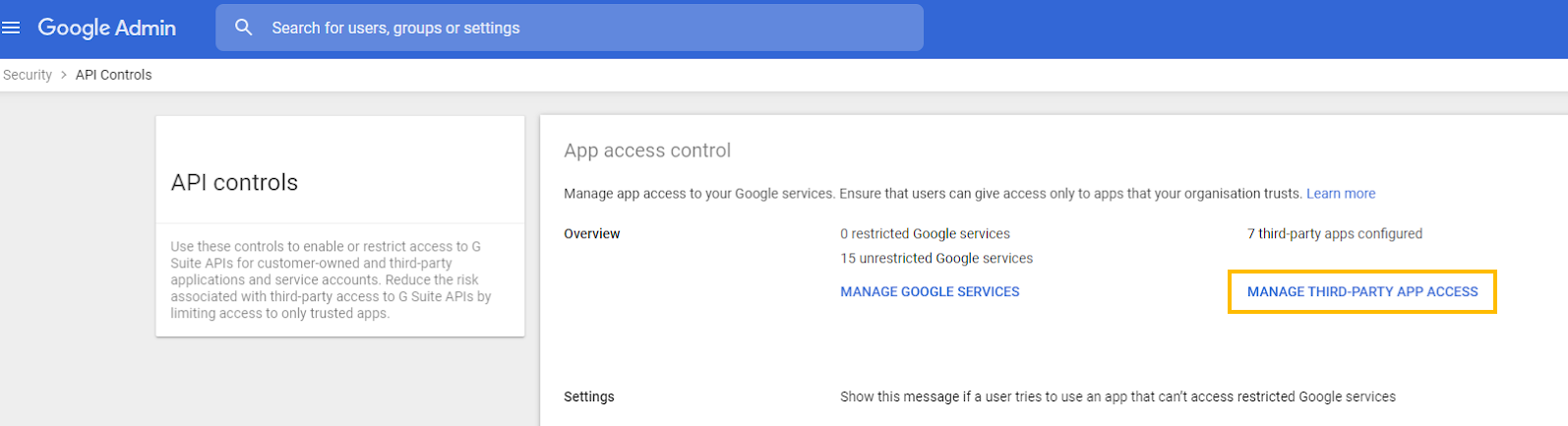
- On the "API Controls" screen, click "MANAGE THIRD-PARTY APP ACCESS".
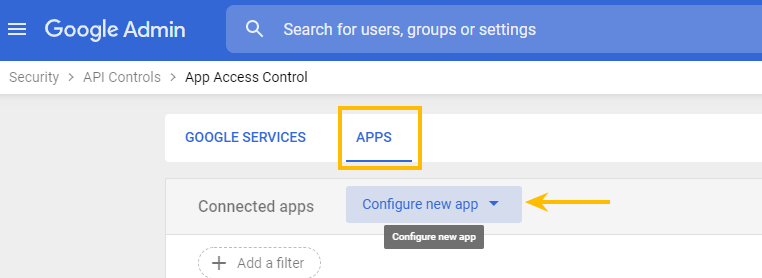
- On the "App Access Control" screen, click "APPS" and select "Configure new app".
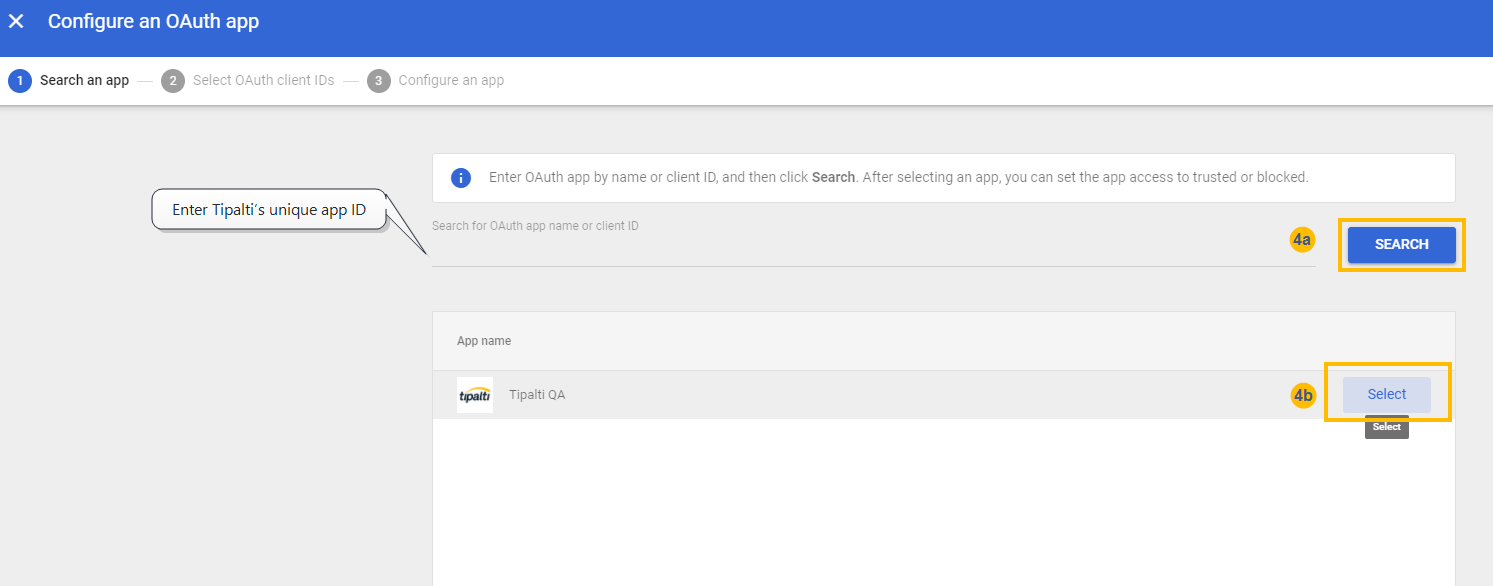
- In the "Configure an OAuth app" window, complete the following steps:
- In the search bar, enter Tipalti's app ID "47786972091-698a7so85oafcudhqsjhjolv16thhd5h.apps.googleusercontent.com" and click "Search".
- Under the "App name" section, click "Select" to choose the Tipalti app.
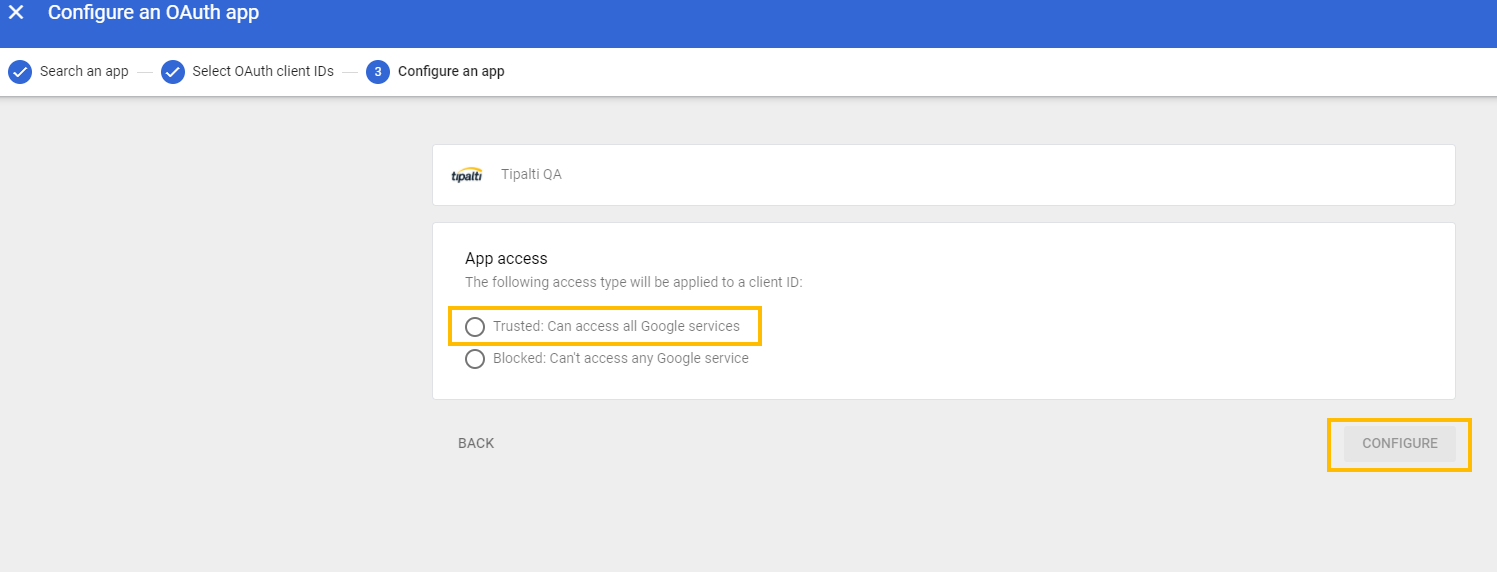
- In the "Configure an app" step, under "App access", select "Trusted: Can access all Google services" and click "Configure".
Safelisting the Tipalti app provides Tipalti access to only the email address you connected for invoice collection, and nothing else.